
MkekaBet Tanzania mobile app
Download the mobile application for instant sports betting and casino gaming across Tanzania. Android APK weighs 47MB, iOS version 52MB. Over 850 betting markets available through the app with M-Pesa integration built-in.


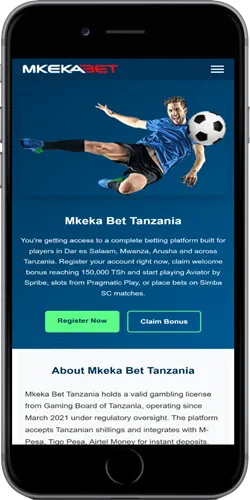
How to install the app
Installation procedures differ between Android and iOS devices. Both versions require active internet connection during download but support offline bet slip creation afterwards.
Android installation steps
- Open device Settings, navigate to Security or Privacy settings
- Enable "Unknown Sources" or "Install Unknown Apps" for your browser
- Visit mkekabet-tz.com through Chrome, Firefox, or Opera browser
- Tap green "Download APK" button at top of homepage
- Wait for 47MB file download to complete (takes 30-90 seconds on 4G)
- Open downloaded file from notification bar or Downloads folder
- Tap "Install" when prompted, wait 15-20 seconds for installation
- Launch app, login with existing credentials or create new account
Some Infinix and Tecno devices show additional security warnings during installation. Tap "Install Anyway" to proceed. App requires Android 6.0 or higher – won't install on older versions.
iOS installation process
- Open Safari browser (other browsers may not work properly)
- Navigate to mkekabet-tz.com
- Tap "Download iOS" button
- System redirects to App Store or displays installation profile
- Tap "Get" or "Install" in App Store interface
- Enter Apple ID password or use Face ID/Touch ID when prompted
- Wait for 52MB download and automatic installation
- App icon appears on home screen, launch and login
iOS 12 or newer required. If download fails, check your iCloud storage – you need at least 150MB free space for installation.
Core app features
Mobile application mirrors website functionality while adding offline capabilities and push notifications.
📱 Offline bet building
Create accumulator bets without active internet connection. App saves your selections locally, submits them automatically when connection restores. Works for pre-match bets only – live betting requires constant connection.
⚡ Faster bet placement
Average bet confirmation time sits at 0.8 seconds on 4G networks, compared to 1.5 seconds on mobile web. App caches odds data locally, basically reducing server requests. Pre-loaded markets for Tanzania Premier League, English Premier League appear instantly.
💳 Direct payment integration
USSD codes for M-Pesa, Tigo Pesa, Airtel Money embedded in app. Tap deposit button, select amount, system automatically dials payment code. No need to switch apps or remember USSD numbers. Withdrawal requests process 15-20 minutes faster than web version.
🔔 Real-time notifications
Push alerts for bet settlements arrive within 10 seconds of match events. Configure separate notifications for Simba SC, Yanga, or your favorite international teams. Bonus credit alerts, cashout availability, deposit confirmations all push instantly.
🎰 Full casino library
All slots, live dealer games, crash games available in app. Aviator loads in 1.2 seconds average. Live dealer streams consume 8-12MB data per hour at standard quality, 15-20MB at high quality. Download game thumbnails over WiFi to reduce mobile data usage.
📊 Bet history tracking
Access complete betting history for last 90 days. Filter by sport, date range, bet type, or settlement status. Export statements as PDF for personal records. Won bets, lost bets, pending bets all organized separately.
Technical performance metrics
Performance testing conducted January 2026 across various devices popular in Tanzanian market.
| Metric | Android | iOS |
|---|---|---|
| App size | 47MB | 52MB |
| Launch time | 2.3 seconds | 1.9 seconds |
| Bet placement speed | 0.8 seconds | 0.7 seconds |
| Data usage (sports betting) | 3-5MB/hour | 3-5MB/hour |
| Data usage (live casino) | 8-12MB/hour | 8-12MB/hour |
| Crash rate | 0.4% | 0.3% |
| Minimum OS version | Android 6.0 | iOS 12.0 |
Tested devices: Samsung Galaxy A14, Infinix Hot 12, Tecno Spark 10, iPhone 11, iPhone SE 2022. Results show consistent performance across mid-range and budget devices common in Dar es Salaam, Mwanza, Arusha retail shops.
Mobile app advantages
Comparing app experience against mobile browser version reveals several practical differences for Tanzanian users.
Speed and responsiveness
App launches directly to last-used section – sports, casino, or bet slip. No homepage load required. Cached data means Tanzania Premier League odds appear 2-3 seconds faster than mobile web. One-tap access to Simba SC vs Yanga matches during derby weeks.
Data consumption
Initial 47MB download requires WiFi or generous data bundle. After installation, app uses 30-40% less data than mobile web for same betting activity. Cached images, pre-loaded market structures, compressed API requests all contribute. Heavy bettors save 200-300MB monthly.
Payment convenience
Integrated USSD dialing saves 4-5 taps per deposit compared to manual process. M-Pesa deposits complete without leaving app – confirmation happens in-app. Browser version requires switching to M-Pesa app, copying transaction codes, switching back.
Security features
Biometric login (fingerprint, face recognition) available on supported devices. No need to type password each session. App locks automatically after 5 minutes of inactivity. Browser sessions stay logged in until manual logout, creating security risk on shared devices.
Common installation issues
Solutions for typical problems encountered during app installation and first launch.
"App not installed" error on Android
Usually means insufficient storage space. Check available space in Settings – you need minimum 150MB free. Delete unused apps, clear cache from existing apps, or move photos to SD card. Alternatively, corrupted download can cause this. Delete partial download from Downloads folder, try downloading APK again over stable connection.
App crashes on launch
Clear app cache and data: Settings → Apps → MkekaBet → Storage → Clear Cache. If crash persists, uninstall completely and reinstall fresh copy. Some Tecno devices running Android 11 show compatibility issues – update phone to latest security patch through System Updates.
Cannot enable Unknown Sources
Newer Android versions (10+) require per-app permission. Instead of general "Unknown Sources" toggle, go to Settings → Apps → Chrome (or your browser) → Install Unknown Apps → toggle on. Each browser needs separate permission.
iOS download redirects to website
Safari sometimes blocks automatic redirects to App Store. Tap address bar, manually type "App Store" in search, find MkekaBet Tanzania through App Store search. If app doesn't appear in App Store, it may not be available in your region – contact support at +255 659 071 070.
Login credentials not working
App and website use identical login system. If credentials work on website but fail in app, uninstall app, restart phone, reinstall. Check for typos in mobile number – system is case-sensitive for passwords. Password recovery available through "Forgot Password" link.
Deposits not reflecting in app balance
Force close app completely (don't just minimize), reopen. Balance updates usually take 30-60 seconds but network delays can extend this to 2-3 minutes. If balance doesn't update after 5 minutes, check M-Pesa confirmation SMS for transaction reference number, contact support.
Updates and version control
App receives regular updates for new features, security patches, odds improvements. Android users must manually download new APK versions when released. iOS updates push automatically through App Store if auto-updates enabled.
Current version (as of February 2026): Android 3.2.1, iOS 3.2.0. Latest update added Tanzania Premier League top scorer markets, improved M-Pesa integration speed by 15%, fixed crash issue on Samsung devices running Android 13. Update notifications appear in-app when new versions release.
To check your installed version: Android – Settings → Apps → MkekaBet → scroll to bottom. iOS – App Store → your profile icon → scroll to MkekaBet.